
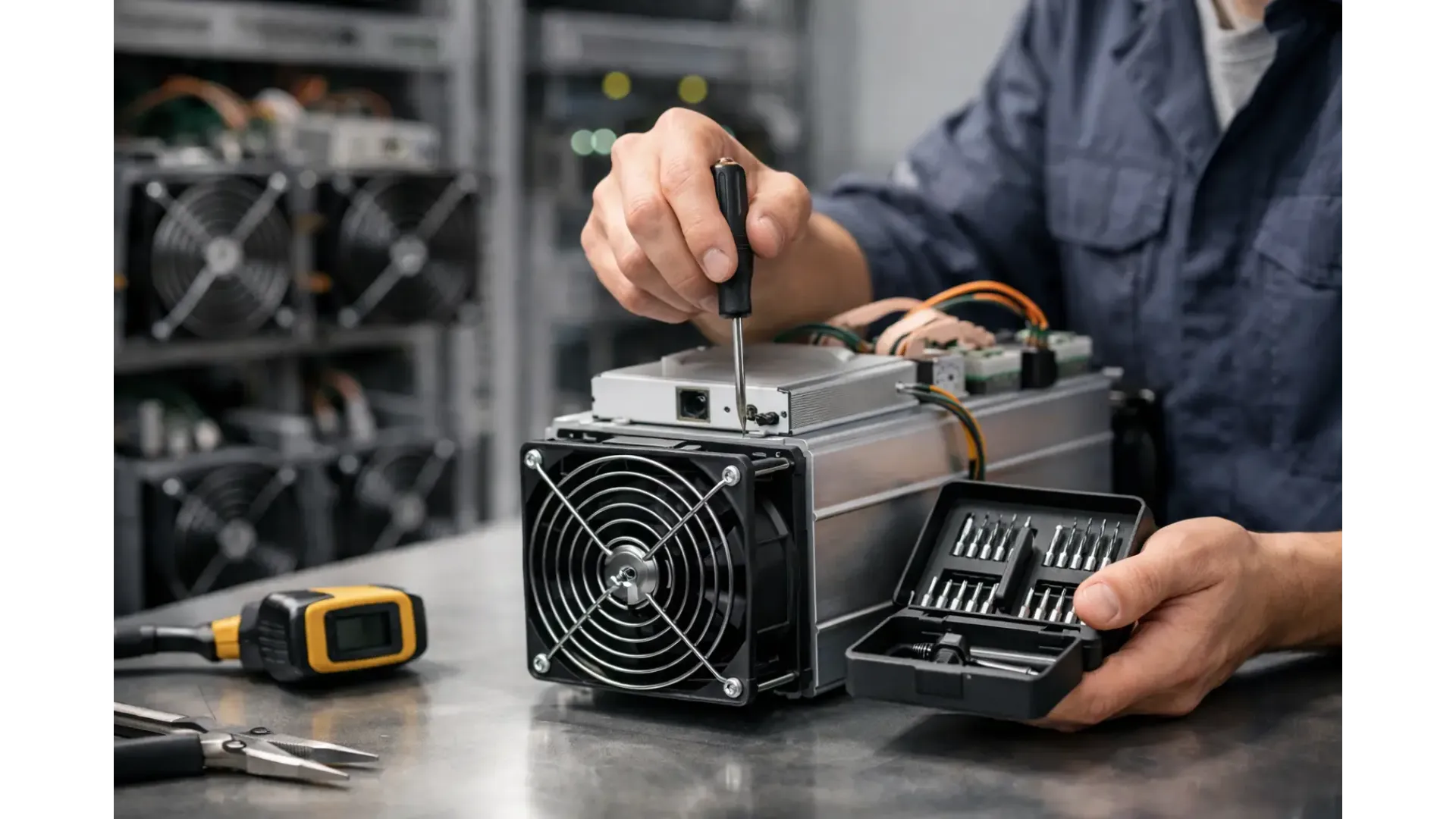
A miner that hashes well on day one can become noisy, unstable and less efficient surprisingly quickly if maintenance is left to chance. This asic miner maintenance guide is built for operators who want fewer avoidable faults, steadier uptime and a clearer routine for keeping hardware in service.
Why ASIC miner maintenance matters
Most ASIC issues do not begin with a dramatic failure. They start with small changes - rising chip temperatures, extra fan noise, intermittent hashboard errors or a power supply working harder than it should. Left alone, those minor signs often become downtime.
For home miners and small operators, maintenance is not just about protecting hardware value. It directly affects profitability, noise levels, room temperature, safety and the amount of time spent troubleshooting. A machine running in dust, poor airflow or unstable power may still hash for a while, but usually at a cost in efficiency and lifespan.
Good maintenance is also cheaper than reactive repair. Replacing a clogged fan or correcting airflow is far easier than dealing with a failed board caused by prolonged overheating.
Build a realistic maintenance schedule
The right routine depends on your environment. A miner in a clean, temperature-controlled room with filtered airflow needs less attention than one running in a garage, loft or workshop. The machine model matters too. Some units tolerate harsher conditions better than others, but none benefit from neglect.
As a working baseline, carry out a quick visual and software check weekly, a more thorough dust and airflow inspection monthly, and a deeper inspection every quarter. If your site is dusty, warm or running continuously under heavy load, shorten those intervals.
The key is consistency. Maintenance works best when it is scheduled before there is a problem, not after performance has already dropped.
ASIC miner maintenance guide: what to check first
Start with the simplest indicators. Confirm the reported hashrate matches expected performance for the model and firmware in use. Check chip temperatures, fan speeds, rejected shares and uptime logs. If any one of these values has drifted, compare it against previous readings rather than looking at the number in isolation.
A miner can remain online while already showing early warning signs. Fan speeds creeping upward may suggest dust build-up or restricted intake. A temperature rise in one board but not the others can point to airflow imbalance, a loose connection or developing board-level trouble. Frequent restarts often indicate power instability, thermal protection events or firmware issues.
Do not ignore the environment around the machine. Room temperature, humidity and airflow path matter almost as much as the miner itself.
Airflow and dust
Dust is one of the most common causes of avoidable ASIC trouble. It restricts heatsinks, slows cooling efficiency and forces fans to work harder. Fine dust can also settle where it should not, especially in spaces not designed for electronics.
Before cleaning, power the machine down correctly and let it cool. External dust can be removed carefully with controlled air or a soft anti-static brush. The aim is to remove build-up without forcing debris deeper into the unit. Aggressive cleaning is a common mistake. If compressed air is used, it should be controlled and dry, and the fans should not be allowed to spin freely at excessive speed during cleaning.
If a miner is repeatedly clogging with dust, cleaning alone will not solve the problem. At that point, the better fix is improving filtration, intake positioning or room hygiene.
Fans and cooling performance
Fans are consumable parts. Bearings wear, blades collect dirt and performance drops over time. If the machine sounds different, investigate. A change in pitch, rattling or uneven fan speed is often an early sign of fan failure.
Inspect for broken blades, wobble, obstructions and poor cable seating. Also make sure nothing outside the machine is reducing airflow. It is easy to focus on the miner and miss the fact that it has been placed too close to a wall or surrounded by other warm equipment.
Cooling is always a trade-off between noise, ambient temperature and machine density. Pushing more hardware into a small area may increase total hashrate, but it often creates a heat problem that reduces reliability across all units.
Power, cabling and electrical stability
ASIC miners are unforgiving when power quality is poor. Unstable supply, overloaded circuits and tired cables can cause intermittent faults that resemble board or firmware problems. Before assuming the miner itself is failing, check the power path.
Inspect power leads, connectors and plugs for heat discolouration, looseness or wear. A connector that feels hotter than expected under load deserves immediate attention. Make sure the power supply is correctly matched to the miner and that input voltage is within the required range.
If you are operating more than one machine, circuit planning matters. Spread load appropriately and avoid makeshift extensions or unsuitable adapters. For UK users, this is especially important in home setups where the room was never intended for continuous high electrical demand.
PSU health
A failing PSU does not always stop outright. It may begin with instability under load, random shutdowns or poor consistency across boards. If the miner is rebooting, dropping a board or showing erratic behaviour, the PSU should be part of the check sequence.
Listen for unusual PSU noise and inspect for dust build-up at the intake. If you have a known-good replacement PSU available, controlled swapping can help isolate the fault. Just make sure compatibility is confirmed before testing.
Firmware, logs and configuration hygiene
Not every maintenance task is physical. Software checks are part of a proper ASIC miner maintenance guide because configuration drift and firmware issues can waste time and reduce output.
Keep a record of firmware versions, pool settings, network details and any performance tuning that has been applied. If a machine begins to behave unexpectedly after a change, rollback is much easier when the previous state has been documented.
Review kernel logs and miner status pages regularly. Even if you do not analyse every line, look for repeated patterns such as board initialisation failures, sensor errors or thermal warnings. Those messages often appear before a full failure occurs.
Firmware updates can improve stability or compatibility, but they should not be applied casually across all machines at once. Test on one unit first where possible. Newer is not always better if the current version is stable in your environment.
When performance drops
A falling hashrate does not always mean damaged hardware. Sometimes the issue is environmental, electrical or software-related. Start with the least invasive checks: room temperature, fan operation, pool connectivity, rejected share rate and recent configuration changes.
If one hashboard is underperforming while the others are normal, compare temperatures and error logs for that board. If all boards are reduced, look first at airflow, PSU behaviour and firmware. Patterns matter. A sudden drop suggests one type of issue; a gradual decline suggests another.
This is where keeping records helps. Without previous readings, it is difficult to tell whether a miner is genuinely worsening or simply operating within normal variation.
Parts that commonly need attention
Some components fail more often than others. Fans, power supplies and cables are common service items because they work under heat and continuous load. Dust filters, if used in the wider setup, also need regular replacement or cleaning.
Hashboards are more complex. If board-level faults appear repeatedly after basic maintenance has been completed, the right decision may be bench repair or replacement rather than repeated restarts and guesswork. Knowing when to stop troubleshooting on-site can save time.
For buyers sourcing equipment or spares, it helps to use a specialist supplier that understands model compatibility, expected operating conditions and support requirements. That matters just as much with pre-owned hardware as with new units.
Preventive habits that actually reduce downtime
The best maintenance routines are usually boring. Keep the room clean, keep airflow consistent, avoid overloading circuits, monitor temperatures and log changes. Label machines clearly if you run more than one. If a problem appears, isolate it methodically instead of changing multiple variables at once.
It is also worth thinking about placement. A machine installed where it is hard to access is less likely to be checked properly. Practical access for cleaning and inspection often gets overlooked during setup.
For many operators, the biggest improvement comes from treating mining hardware like infrastructure rather than an appliance. A miner can run unattended for long periods, but that does not mean it should be ignored.
If your goal is longer service life and fewer avoidable interruptions, maintenance does not need to be complicated. It needs to be regular, documented and appropriate to the environment you are actually running. A steady routine will usually do more for uptime than any last-minute fix when a machine is already offline.