
Last updated: March 2026
What Is Hashrate Error on Bitaxe? (AxeOS Explained)
? New to mining? Explore our Bitcoin mining basics or browse our Bitcoin mining guides for more help.
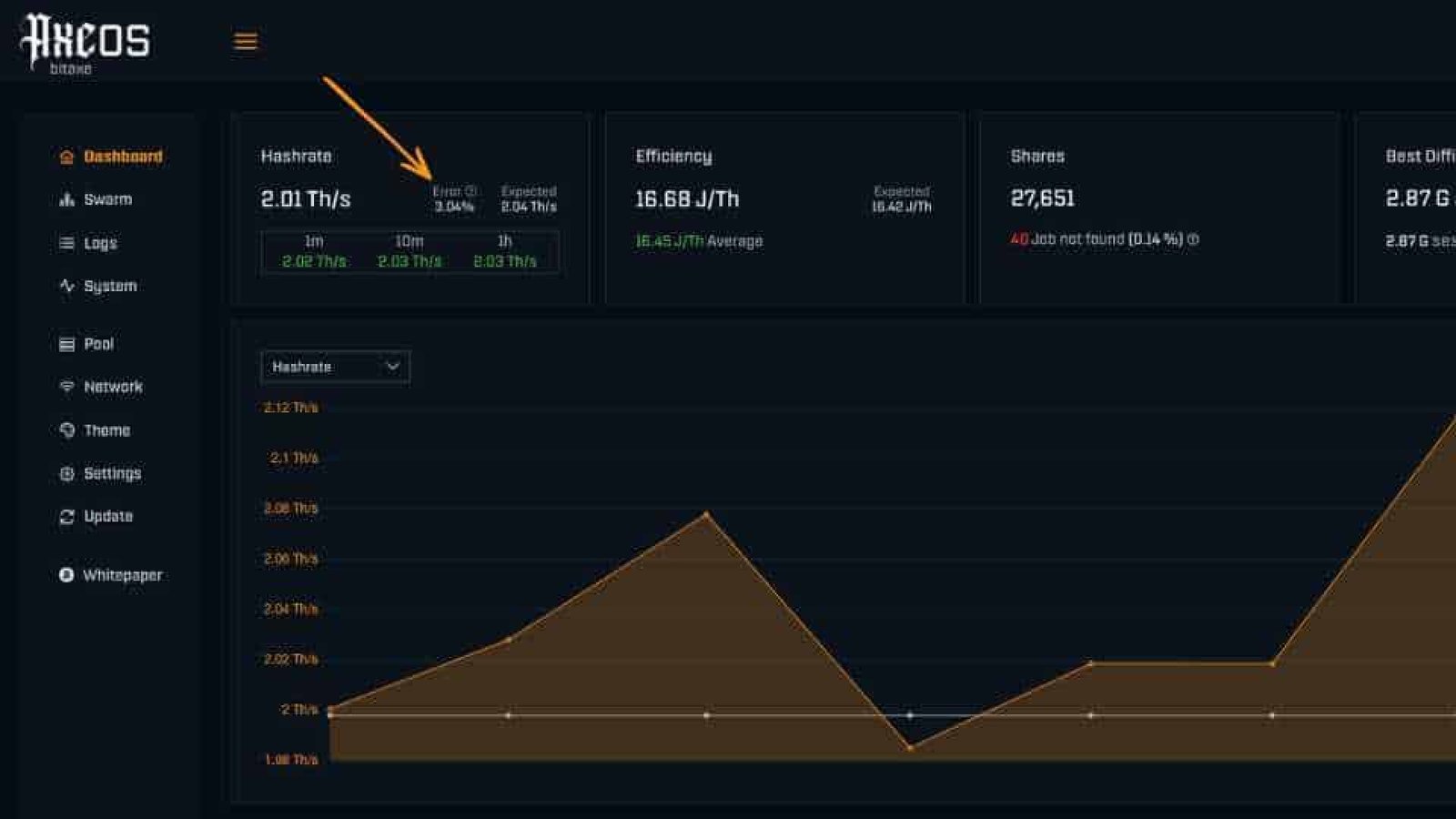
If you’re using a Bitaxe miner, you’ve probably noticed the “hashrate error %” on the AxeOS dashboard. This small number is one of the most misunderstood metrics in Bitcoin mining, but it’s actually one of the most important.
In this guide, we explain what hashrate error means, what causes it, and how to fix it to maximise your mining performance.
Looking to start mining? Shop ASIC Bitcoin Miners at Ehasher
What Is Hashrate Error?
Hashrate error is a hardware-level metric that shows how many calculations your ASIC chip is getting wrong during mining.
It is not the same as:
- Rejected shares
- Internet issues
- Pool errors
Instead, it measures how efficiently your ASIC chip is performing internally.
Simple explanation:
- 0–2% = healthy mining
- 5%+ = performance issues
- 10%+ = wasted electricity
Why Hashrate Error Matters
Every error represents wasted computation.
If your miner shows:
- 1000 GH/s with 5% errors
You are effectively mining at:
- 950 GH/s real performance
This means you’re paying for electricity that produces no useful results.
What Causes High Hashrate Error?
1. Frequency Too High
Overclocking too aggressively is the most common cause. If the frequency is too high, the chip can’t keep up.
2. Voltage Too Low
Undervolting without adjusting frequency reduces stability and increases errors.
3. Overheating
High temperatures reduce chip accuracy. Above around 70°C, errors can increase quickly.
4. Poor Power Supply
Unstable power or voltage drops can cause incorrect computations.
What Is a Good Hashrate Error Rate?
| Error % | Status | Action |
|---|---|---|
| 0–2% | Healthy | No changes needed |
| 2–5% | Slight instability | Monitor or fine tune |
| 5–10% | Unstable | Reduce frequency and improve cooling |
| 10%+ | Critical | Fix immediately |
How to Fix Hashrate Errors
Follow these steps:
- Check temperature – keep it below 70°C where possible
- Reduce frequency – lower it in small steps such as 25 MHz
- Increase voltage slightly if needed
- Check power supply stability
- Update firmware to the latest version
Hashrate Error vs Rejected Shares
These are completely different:
- Hashrate Error: happens inside the ASIC chip
- Rejected Shares: happens between your miner and the mining pool
You can have:
- 0% errors but poor internet
- 5% errors with a perfect connection
Pro Tip: Find Your Miner’s Sweet Spot
Every ASIC chip is slightly different, often referred to as the silicon lottery.
The goal is simple:
Run the highest frequency possible while keeping errors under 2%
This gives you the best balance of efficiency and profitability.
Best Bitaxe Miners for Home Use
If you’re just getting started, compact miners are often ideal for home use.
- Quiet and compact
- Energy efficient
- Ideal for beginners
Final Thoughts
Hashrate error is one of the most useful metrics in Bitcoin mining.
Keep it low and your miner will run more efficiently. Ignore it, and you may waste power while reducing your effective mining performance.
Small tweaks can make a big difference.
Want to learn more?
Start with our Bitcoin mining basics or explore advanced Bitcoin mining guides.