
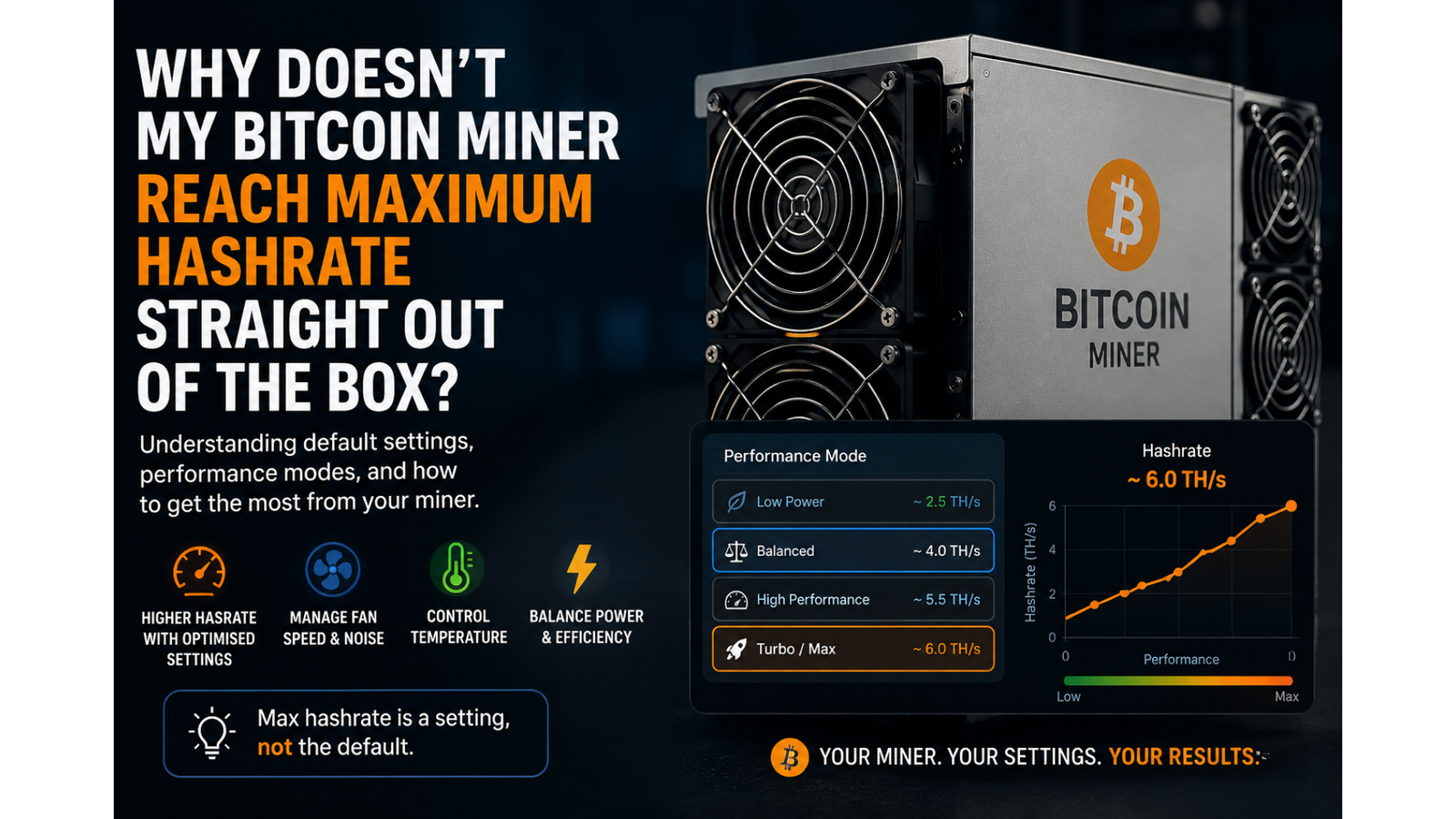
Why Doesn't My Bitcoin Miner Reach Maximum Hashrate Straight Out of the Box?
One of the most common questions we receive from new miners is:
"My miner is advertised as up to 6 TH/s, but it's only running at 4 TH/s. Is there something wrong with it?"
In almost every case, the answer is no.
Many Bitcoin miners are shipped with conservative default settings designed to provide the best balance between performance, temperature, power consumption, and noise levels. This means that when you first power up your miner, it may not immediately operate at its maximum advertised hashrate.
Understanding Advertised Hashrates
When a miner is advertised as having a hashrate of "up to 6 TH/s", this refers to the highest performance profile available within the device's settings.
Most manufacturers include multiple operating modes, such as:
- Low Power Mode
- Balanced Mode
- High Performance Mode
- Turbo or Maximum Performance Mode
By default, many miners are configured to start in a lower or balanced profile. This helps ensure a smooth experience for beginners and reduces the risk of excessive heat, noise, or power consumption during initial setup.
Why Don't We Ship Every Miner at Maximum Power?
This is a question we often get asked.
While we could configure every miner to run at its highest possible setting before dispatch, this often creates a different set of issues.
Higher performance settings generally result in:
- Increased fan noise
- Higher operating temperatures
- Greater power consumption
- More heat generated in the room
For some users, these trade-offs are perfectly acceptable. For others, especially those running miners at home, the additional noise and heat can come as an unwelcome surprise.
Because every customer's environment is different, manufacturers typically leave the choice up to the user.
Adjusting Performance Settings
Most modern miners include a built-in web interface (Web UI) that allows you to customise how the device operates.
Within the Web UI, you can often choose between different performance profiles depending on your priorities:
- Maximum hashrate
- Lower noise levels
- Reduced power consumption
- Lower operating temperatures
If your goal is to achieve the highest advertised hashrate, you will usually need to log into the miner's settings and select a higher performance profile.
Every Mining Setup Is Different
It's important to remember that advertised performance figures are typically achieved under ideal conditions.
Factors that can affect your actual hashrate include:
- Room temperature
- Power supply quality
- Network stability
- Cooling and airflow
- Selected performance profile
This is why two identical miners can sometimes perform slightly differently in different environments.
Need Help? Just Ask
If you've recently purchased a miner from us and you're unsure whether it's configured correctly, please contact us before assuming there's a fault.
We're always happy to help customers optimise their settings, explain the different operating modes, and make sure they're getting the best experience possible from their hardware.
Bitcoin mining can be confusing when you're starting out, and no question is too small. We'd much rather help you get up and running than have you spend hours troubleshooting something that may simply be a settings adjustment.
Final Thoughts
When you see an advertised hashrate, think of it as the miner's maximum potential performance rather than its guaranteed out-of-the-box operating speed.
Most miners are intentionally configured with sensible default settings that prioritise reliability, noise levels, and temperature management. Reaching the highest hashrate usually requires selecting a higher performance profile through the miner's Web UI.
If you're ever unsure, we're only a message away and happy to help.